SharePoint storage full? Find what's using the space
A tenant's SharePoint storage is one shared pool: 1 TB, plus 10 GB for each licence that includes SharePoint, plus any extra storage bought. OneDrive has its own allowance per person and doesn't count. When the pool fills up, the space is usually in four places:
- Version history. Every saved version of a file counts in full, so a 200 MB spreadsheet edited every day can take many gigabytes.
- Recycle bins. Deleted files count until they leave the second-stage recycle bin.
- Preservation Hold libraries. A retention policy keeps copies of edited and deleted files there, and they count too.
- A few big sites. Most of the space is often in two or three sites, or one library someone used as a backup.
By hand, for one tenant #
The SharePoint admin centre's Sites → Active sites page shows the tenant's total and each site's use; sort by Storage used. Inside a site, Site settings → Storage Metrics breaks it down by folder and file, including version history.
To list the largest sites with the SharePoint Online Management Shell (StorageUsageCurrent is in MB):
Connect-SPOService -Url https://contoso-admin.sharepoint.com
Get-SPOSite -Limit All |
    Sort-Object StorageUsageCurrent -Descending |
    Select-Object -First 20 Url,
        @{ Name = "UsedGB"; Expression = { [math]::Round($_.StorageUsageCurrent / 1024, 1) } }
Ways to get space back, roughly in order of how much they free:
- Limit version history on the biggest libraries (the library's Versioning settings, or the tenant-wide Version history limits under Settings in the SharePoint admin centre), then delete the older versions.
- Empty recycle bins on the biggest sites, once you're sure nothing in them is needed.
- Archive or delete sites nobody has used for a long time, after checking whether a retention policy will keep their files anyway.
- Move large media files and old backups somewhere cheaper.
Every client, with a forecast #
Office Sentry's SharePoint storage report starts with how full the tenant is and, from its own history, the date it will fill at the current rate.
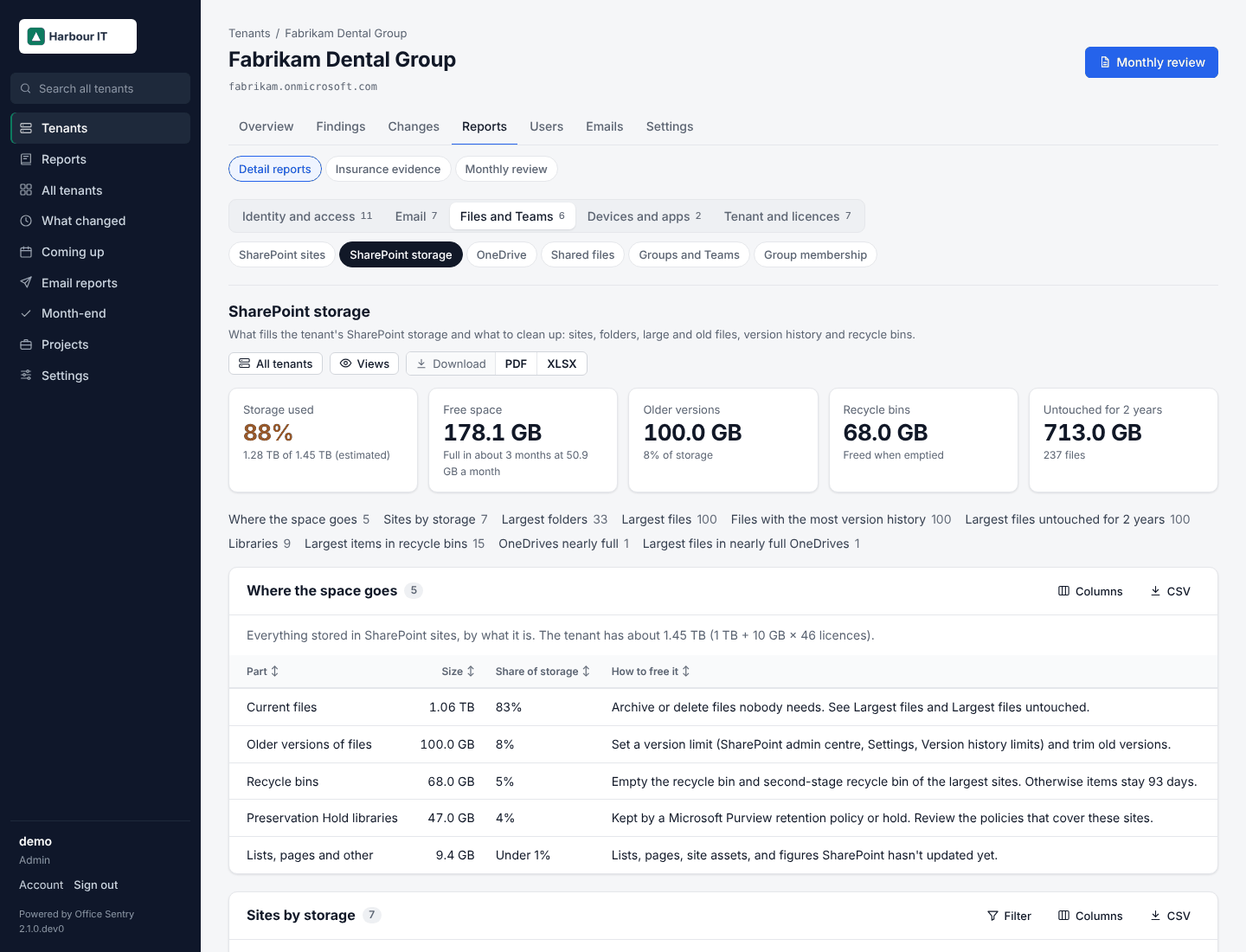
- Where the space goes: current files, older versions, recycle bins, Preservation Hold libraries and the rest, so you can see straight away whether versions are the problem.
- Every site and library by size, the largest folders and files, the files with the most version history, the largest files nobody has touched for two years, and the largest recycle bin items, each with what to do about it.
- OneDrives over 80% of their own allowance, with their largest files.
- All clients lists every client's storage side by side, and a check fails when a tenant is nearly full, so it shows up in the client's monthly review.
Open SharePoint storage in the demo · Example PDF (19 pages) · Install Office Sentry